
If you've spent any time automating your business over the last year, you've probably hit the same fork in the road everyone hits: stay on Zapier, or move to n8n? Here's the short answer to n8n vs Zapier for small business. Zapier is usually the better fit when your team is non-technical and runs a modest number of simple workflows. n8n usually wins once your workflows get long, run often, or need custom logic and AI, because it bills per workflow run instead of per step.
That's the headline, but the right choice depends on details most comparisons skip: how your bill actually grows, what self-hosting really costs in hours, and a licensing rule that can catch agencies and SaaS founders off guard.
This guide walks through all of it in plain language. We'll cover how each tool works, a side-by-side comparison table, the real pricing math, the hidden costs, a five-question decision framework, use case playbooks, a safe migration plan, common mistakes, what to measure, and a realistic example of how a small team might decide.
Why the Automation Tool Decision Matters More in 2026
A few years ago, automation meant sending form leads to a spreadsheet. Today it means routing leads into your CRM, triggering nurture emails, summarizing calls with AI, and syncing orders across three systems. The tool you pick becomes the plumbing for your whole operation, and plumbing is expensive to rip out later.
Adoption is also climbing fast. U.S. Census Bureau survey data shows overall business AI use hovered between 17% and 20% from December 2025 to May 2026, with 37% of firms with at least 250 employees already using it. Most of that AI needs an automation layer to do anything useful, which means your automation platform is quickly becoming your AI platform too.
So n8n vs Zapier isn't a small software decision. It shapes your costs, your speed, and how much control you keep over your own data.
What Is the Difference Between n8n and Zapier?
n8n and Zapier are both workflow automation platforms that connect apps and move data between them. The core difference is the trade-off each makes. Zapier is a fully managed, no-code service with a huge app library that bills per task, meaning each successful action step. n8n is a node-based, developer-friendly platform you can self-host or use in the cloud, and it bills per full workflow execution.
Everything else in this guide flows from that difference.
How Zapier Works
Zapier builds workflows called Zaps. A trigger (a new form entry, a new deal, a new order) starts the Zap, and actions follow. According to Zapier's own help center, a task is any successful action that runs, and only successful actions count. Polling checks don't cost you anything, but every action step in every run does.
Zapier's biggest strength is breadth. Its own comparison page says it covers 9,000+ app integrations, all maintained for you. You never think about servers, updates, or API changes.
How n8n Works
n8n builds workflows on a visual canvas of nodes. You can drag and drop like Zapier, but you can also drop into JavaScript or Python, call any API with an HTTP node, loop over data, and build branching logic with proper error handling. It's also built for AI agents, with native nodes for language models, tools, and memory.
The big difference is where it runs. You can use n8n Cloud, or you can self-host n8n on your own infrastructure using Docker Compose and similar methods. Without a license key, the self-hosted version runs as the free Community edition.
n8n vs Zapier for Small Business: The Side-by-Side Comparison
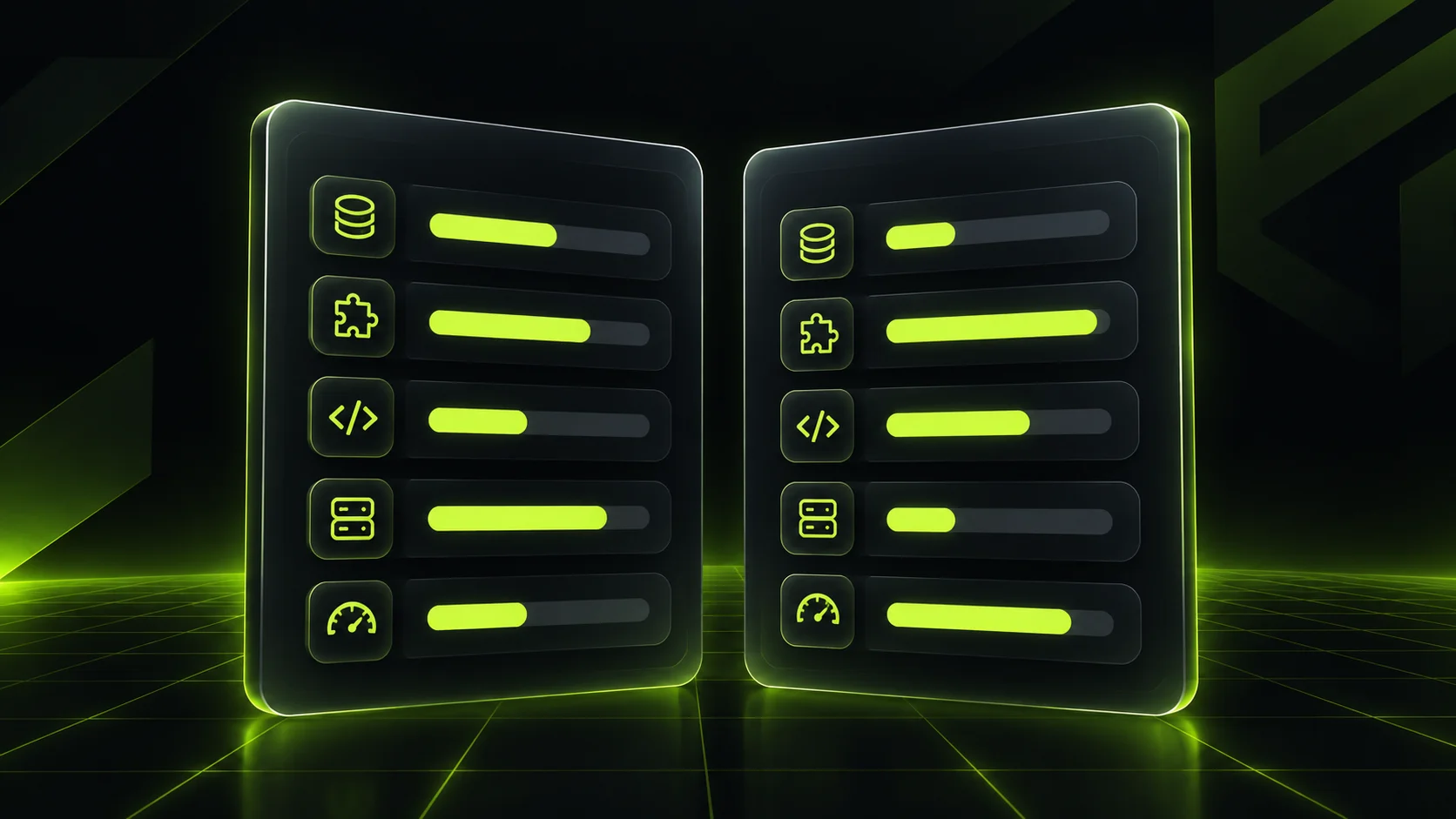
Here's how the two platforms stack up on the factors that matter most to a founder or marketing lead. Pricing figures come from each vendor's pricing page at the time of writing.
| Factor | Zapier | n8n |
|---|---|---|
| Billing unit | Per task (each successful action step) | Per execution (one full workflow run) |
| Free option | Free plan with 100 tasks a month | Self-hosted Community edition (you pay for the server) |
| Entry paid plan | Professional, from $19.99 a month | Cloud Starter, €20 a month billed annually for 2,500 executions |
| Users | Seat limits depend on plan | Unlimited users on every plan |
| App integrations | 9,000+ maintained apps | Fewer native nodes, plus any API via HTTP requests |
| Custom code | Code steps with limits | Full JavaScript and Python nodes |
| Hosting | Cloud only | Cloud or self-hosted |
| Learning curve | Very gentle | Moderate, gentler if you know APIs |
| Maintenance | None | None on Cloud, yours if self-hosted |
| Best for | Non-technical teams, simple and moderate volume | Complex, high-volume, AI-heavy or data-sensitive workflows |
Read the table this way: Zapier sells convenience, and n8n sells control and predictable cost at scale. Neither is "better" in general. One is better for your specific workflows.
n8n vs Zapier Pricing: The Real Math on Tasks vs Executions
When it comes to n8n vs Zapier pricing, most small businesses compare the entry prices, see they're similar, and stop there. That's a mistake, because the two tools measure usage in completely different ways.
Zapier charges you for how much your workflows do. n8n charges you for how often they run. That single difference decides most small business bills.
Let's walk through an illustrative lead workflow. A new form submission arrives, and then five actions follow: enrich the lead, create the contact in your CRM, alert sales in Slack, add the lead to an email sequence, and log it in a sheet.
On Zapier, the trigger is free and each of the five actions is a task, so one lead costs 5 tasks.
At 400 leads a month, that's 2,000 tasks for this single workflow.
On n8n, each lead is one execution, regardless of how many steps it passes through, so 400 leads is 400 executions.
Add a second workflow with 12 steps that runs daily, and Zapier counts roughly 360 more tasks a month while n8n counts about 30 more executions.
Now compare against the plans. Zapier's pricing page lets you pick a task allowance on a slider, with Professional starting at $19.99 a month and Team from $69 a month, and the price rises as your task count rises. If you go over your limit with pay-per-task billing turned on, extra tasks are charged at a higher rate than your base subscription tasks.
n8n's pricing page lists Starter at €20 a month for 2,500 executions and Pro at €50 a month for 10,000 executions, both billed annually, with unlimited steps, users, and workflows on every plan.
The pattern is clear. With short workflows and low volume, the two cost about the same. With long workflows and growing volume, Zapier's bill grows with every extra step while n8n's barely moves.
Watch the AI Steps
AI changes the math again. Zapier's help center notes that AI step usage depends on the model tier you choose, and each successful Zapier MCP tool call counts as 2 tasks. If you plan to run AI agents that call tools many times per conversation, model that usage before you commit.
The Hidden Costs and the License Question
This is the section most comparisons leave out, and it's where small businesses get surprised.
Self-Hosting Isn't Free, It's Just Paid Differently
A self-hosted n8n instance has no license fee, but it has a server bill and, more importantly, a people bill. Someone has to install it, patch it, back it up, monitor it, and fix it at 7 AM when a workflow stops. n8n's own docs recommend Docker Compose for production deployments with databases and additional services, and note that npm installation is deprecated from n8n 3.0. That tells you who self-hosting is designed for.
A fair total cost of ownership looks like this:
Platform cost (subscription or server)
Setup hours (build, test, document)
Maintenance hours per month (updates, monitoring, failed runs)
Risk cost (what a broken workflow costs you in lost leads or delayed orders)
If nobody on your team is comfortable with servers, n8n Cloud or Zapier removes most of lines 3 and 4.
The Sustainable Use License
n8n isn't classic open source. It uses a "fair-code" Sustainable Use License that allows use for your own internal business purposes. The docs are explicit: you're fine if you use n8n internally, and not making it available to your customers so they can connect their own accounts and build workflows.
For most small businesses, that's no problem at all. But if you're a SaaS founder planning to embed automation inside your product, or an agency planning to resell a hosted n8n to clients, read the license FAQs or talk to n8n before you build. Discovering this after launch is painful.
How to Choose: A Five-Question Decision Framework

Instead of reading another n8n vs Zapier pros and cons list, answer these five questions honestly. Your answers will point to the right tool.
Question One: Who Will Build and Maintain the Workflows?
If it's a marketer or operations lead with no coding background, Zapier gets them productive on day one. If you have a developer, a technical founder, or an automation partner who can own the setup, n8n's learning curve stops being a real barrier.
Question Two: How Many Steps Do Your Workflows Have?
Count the actions in your five most important workflows. If most have two or three steps, the pricing gap is small. If they have eight, ten, or fifteen steps, n8n's per-execution model will almost always cost less.
Question Three: How Much Volume Do You Expect in 12 Months?
Don't price today's volume. Price next year's. A workflow that runs 200 times a month now might run 2,000 times after a successful campaign, and on Zapier that growth multiplies by every step.
Question Four: How Sensitive Is Your Data?
If you handle health, financial, or client data with strict residency rules, self-hosting n8n keeps workflow data on infrastructure you control. Zapier runs only in its own cloud.
Question Five: How Much AI Will Your Workflows Use?
If you're planning chatbots, AI lead qualification, or agents that take actions, n8n's native AI nodes and code flexibility give you more room. For simple AI steps like summarizing a form entry, Zapier's built-in AI fields are more than enough.
Use Case Playbooks: Which Tool Wins Where
General advice only goes so far. Here's how the choice tends to play out across the workflows small businesses actually run.
Lead Capture and CRM Sync
For a basic "form to CRM to Slack" flow, Zapier is fast and reliable, and its maintained connectors for tools like HubSpot mean fewer surprises when an API changes. Once you add enrichment, scoring, deduplication, and owner routing, n8n handles the branching logic better and stays cheaper. If your CRM itself is a mess, fix that first with a proper CRM setup, because automation only speeds up whatever process you already have.
Email Marketing and Nurture
Most email platforms already automate sequences internally. The automation tool's job is feeding them clean, segmented contacts. Zapier is fine for simple list syncs. n8n shines when you need to merge data from several sources, apply rules, and tag contacts before they hit your email marketing platform.
AI Agents and Chatbots
This is where n8n pulls ahead for teams with some technical help. You can build an agent that reads an inbound message, checks your knowledge base, looks up the customer, drafts a reply, and hands off to a human, all in one workflow billed as one execution. If you're exploring this, our AI services team builds these as production systems, not demos.
Ecommerce Order Operations
Order syncs, inventory alerts, and fulfillment updates are high-volume by nature. Every order triggers the workflow, so per-task billing adds up quickly. Stores processing hundreds of orders a week usually find n8n far more predictable.
Internal Reporting
Weekly reports that pull from ads, analytics, and your CRM involve lots of steps but run infrequently. Either tool works. Pick whichever your team already knows.
The Hybrid Setup
You don't have to choose one forever. Plenty of small teams keep Zapier for quick, low-volume automations that marketers own, and run n8n for heavy, high-volume, or AI workflows that a technical owner maintains. The rule that keeps this sane: one workflow lives in one tool, and you document which tool owns what.
Step-by-Step: Moving From Zapier to n8n Without Breaking Anything
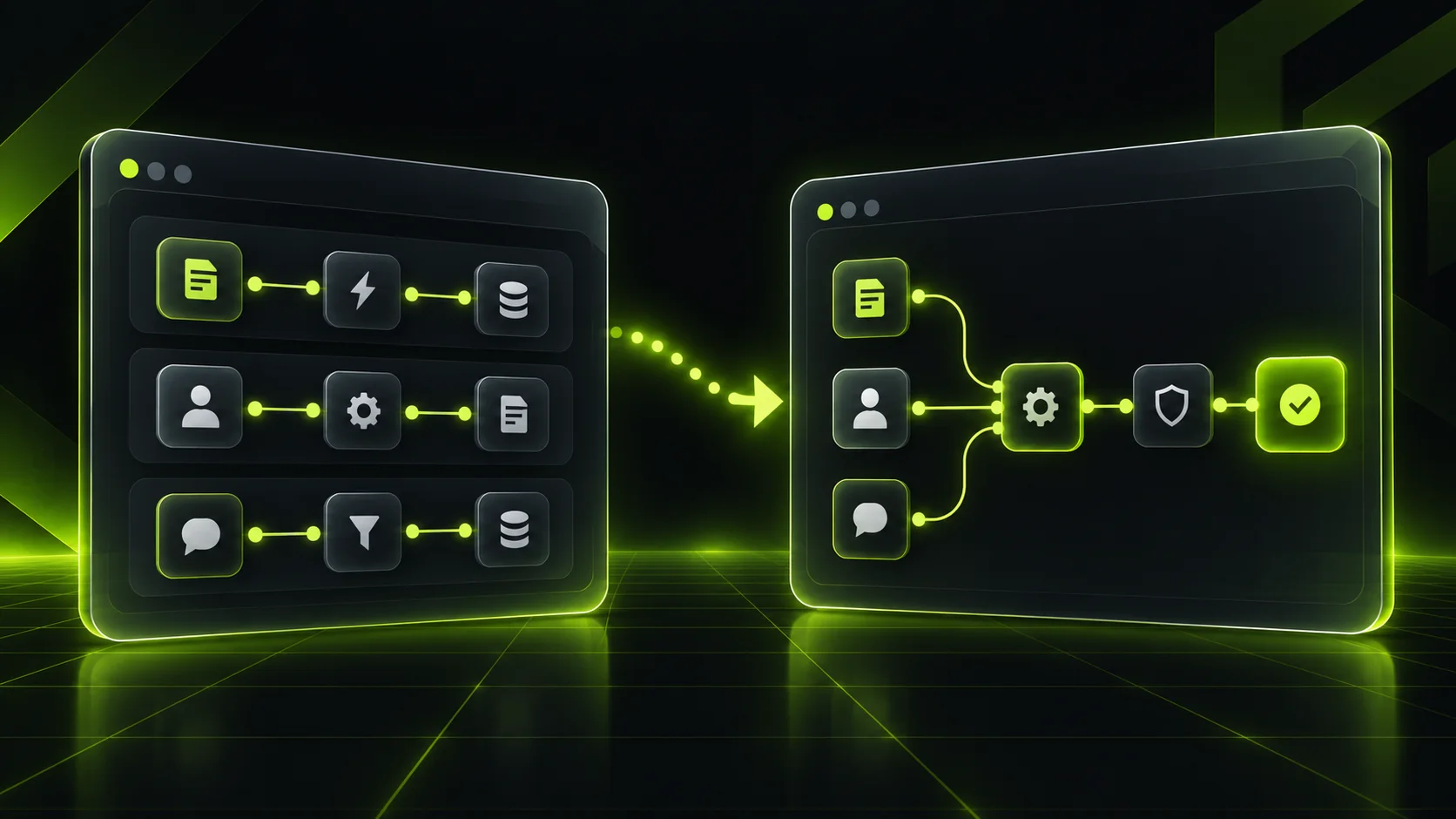
If the math says switch, don't migrate everything in a weekend. Follow this sequence instead.
Audit your Zaps.
List every active Zap, its steps, monthly task usage, and who depends on it.
Rank by cost and risk.
Start with high-task, low-risk workflows. Leave revenue-critical flows for later.
Choose Cloud or self-hosted.
If you don't have someone to own a server, start on n8n Cloud.
Rebuild, don't copy.
Use the migration to simplify. Many Zaps exist as three chained Zaps that become one n8n workflow.
Run both in parallel.
Point test data at the new workflow and compare outputs for a week.
Add error handling.
Set up an error workflow that alerts you when something fails, before you turn the Zap off.
Switch over and monitor.
Turn off the Zap, watch executions daily for two weeks, then move to the next workflow.
Document everything.
Record what each workflow does, who owns it, and where credentials live.
Common Mistakes Small Businesses Make With Automation Tools
Choosing on Entry Price Alone
The cheapest plan today is rarely the cheapest plan in a year. Model your workflows at realistic future volume before deciding.
Self-Hosting Without an Owner
A self-hosted instance with no one responsible for updates and backups is a liability waiting to happen. If you can't name the owner, use Cloud.
Automating a Broken Process
Automation makes a messy process faster, not better. Fix duplicate records, unclear handoffs, and missing fields first.
Ignoring Error Handling
Silent failures are the real cost of automation. A lead that never reaches your CRM is a lead you'll never know you lost.
Letting Workflows Sprawl
Fifty undocumented workflows built by five different people is a mess on any platform. Name them clearly, assign owners, and review them every quarter.
How to Measure What Matters
The goal isn't to run more automations. It's to save time and money while making fewer mistakes. Track these numbers monthly:
- Cost per workflow run: your platform bill divided by total runs, so you can see which tool is more efficient for each job.
- Hours saved: estimate the manual minutes each workflow replaces, multiplied by runs.
- Failure rate: the share of runs that error out, and how fast you catch them.
- Speed to lead: the time between a form submission and first contact from sales.
- Maintenance hours: the time your team spends fixing or updating workflows.
If maintenance hours start eating the savings, that's your signal to simplify or get help.
The Practical Toolkit Around Your Automation Platform
Your automation tool is only one piece of the stack. A working setup usually includes a clean CRM as the source of truth, a form or website layer that captures data properly, a shared place to store credentials securely, and a simple monitoring habit, even a daily look at failed runs.
For businesses whose needs outgrow off-the-shelf connectors, a small custom integration or internal tool from a web application development team often replaces a tangle of fragile workflows. We cover when that makes sense in our guide to custom web development.
And if automation is part of a bigger growth push, connect it to your search strategy too. Our full-funnel AI SEO guide shows how content, data, and automation work together.
A Realistic Example: How a 12-Person Agency Might Decide
Picture a 12-person marketing agency with no in-house developer. It runs about 25 Zaps: lead capture from three forms, client onboarding, weekly reporting, invoice reminders, and a new AI workflow that summarizes discovery calls.
When the owner audits usage, a pattern appears. Twenty of the Zaps are short and low volume, and they're cheap. But five workflows (including lead routing, onboarding, and the AI call summaries) account for most of the task usage, because they each have eight or more steps.
A sensible path here is hybrid. The agency keeps the simple Zaps where the account managers already know how to edit them. It moves the five heavy workflows to n8n Cloud, rebuilding them with an automation partner and adding proper error alerts. Nobody has to manage a server, the heavy workflows stop scaling the bill with every step, and the team keeps the ease of use it values.
This is an illustrative scenario, not a client story, but it reflects the decision most small teams face: not "which tool is best" but "which workflows belong where."
Where Workflow Automation Is Headed Next
Three shifts are worth watching. First, AI agents are moving from experiments into daily operations, and agents need a reliable automation layer with good logging and cost control underneath them. Second, both platforms are adding AI-assisted building, which will lower the learning curve for n8n and blur the line between the two tools. Third, pricing models are converging on usage, so understanding how each vendor counts that usage will matter more every year.
Whichever side of the n8n vs Zapier debate you land on, the businesses that do well won't be the ones with the most automations. They'll be the ones with a clear owner, clean data, and workflows they actually understand. If you're unsure how to judge a partner for this work, our guide to digital marketing agency selection criteria covers the questions to ask.
Final Key Points
- Zapier bills per task (each successful action step). n8n bills per full workflow execution, regardless of steps.
- Zapier is usually the better fit for non-technical teams with short, low-volume workflows.
- n8n usually wins for long, high-volume, AI-heavy, or data-sensitive workflows.
- Self-hosted n8n has no license fee, but it needs a named owner for updates, backups, and monitoring.
- n8n's Sustainable Use License covers internal business use. Check it before embedding n8n in a product you sell.
- Price next year's volume, not today's, and count the steps in your real workflows.
- A hybrid setup, simple Zaps plus heavy n8n workflows, is often the smartest path for small teams.
- Migrate gradually: audit, rebuild, run in parallel, add error handling, then switch.
Frequently Asked Questions
Is n8n cheaper than Zapier?
For multi-step or high-volume workflows, usually yes, because n8n counts one execution per workflow run while Zapier counts every successful action step as a task. For simple two-step workflows at low volume, the costs are close. Model your real workflows at next year's volume before deciding.
Is n8n really free?
The self-hosted Community edition has no license fee and no execution cap, but you still pay for a server and the time to run it. n8n Cloud, which handles hosting for you, is a paid subscription starting with the Starter plan. For most small teams, "free" really means "paid in hours instead of dollars."
Can n8n replace Zapier for a small business?
Yes, for most workflows, provided someone on your team or a partner can build and maintain them. n8n has fewer native integrations, but its HTTP node can connect to almost any app with an API. Teams with no technical support often find Zapier's ease of use worth the higher cost.
Is n8n hard to learn for non-technical users?
It's harder than Zapier. You'll see data structures, expressions, and branching logic earlier, which can feel intimidating at first. Non-technical users can build simple workflows after some practice, but complex ones usually need someone comfortable with APIs.
Is self-hosted n8n secure?
It can be very secure, since workflow data stays on infrastructure you control. But security depends on you: updates, access controls, backups, and monitoring are your responsibility. If you can't commit to that, n8n Cloud or Zapier is the safer choice.
Does n8n work with HubSpot and other CRMs?
Yes. n8n has native nodes for popular CRMs, including HubSpot, and can connect to others through their APIs. Zapier also supports HubSpot with maintained connectors, which can be simpler for basic syncs.
Can I use both n8n and Zapier at the same time?
Absolutely, and many small teams do. Keep quick, low-volume automations in Zapier and move heavy or AI-driven workflows to n8n. Just make sure each workflow lives in only one tool and that ownership is documented.
When should I bring in an automation partner?
When workflows touch revenue, when you're planning AI agents, or when you're migrating many Zaps at once. A partner can design, build, and document the system so it doesn't depend on one person. If that sounds like you, talk to our team about your current setup.
For more questions?
Contact Us